The signing system of record
Document signingfor startups, and everyone else.
The seal
One signature covers every byte you approved. Change anything later and the signature breaks.
The ledger
Each event is linked to the one before it. Remove or change a step and the chain shows it.
The check
Anyone can check a sealed file with no account, and even offline.
Your documents
Every model request requires zero-data-retention and prompt-training opt-out.
Quick start
Create and sign documents fast, wherever you are.
Paste this into your agent
Open https://octodoc.org/about#local-tools and set up OctoDoc for this computer. Install the CLI only with the command on that page, and do not invent another. Do not report the install as done until octodoc auth status runs, and do not report success until OctoDoc confirms the account. Then use OctoDoc to Prepare, Send, and Sign documents from this agent.What the credential will not do
A saved login is identity, not authority. Without an explicit mandate, the agent can open an imported file or a reviewed reusable PDF form, read cited facts, and prepare measured fields. It cannot choose a legal instrument for you. A transaction-bound authenticator ceremony authorizes each send or signature. A valid mandate can authorize the agent to complete only the exact acts it covers. OctoDoc records agent origin in either mode.
Integrations
An owner adds the OctoDoc app to their Slack workspace; each person then chooses to link and ask about their files in direct messages. Prepare, send and sign on the web. Details
Add the OctoDoc plugin from one public repository. It installs a skill that drives the CLI on your own machine, declares no server of its own, and a person confirms every binding act in the browser. Details
The same plugin installs to Codex: review, prepare and send from the terminal you already use, with signing kept a human browser gesture. Details
Install it with one command to review a PDF with no account, or sign in to prepare, send and sign. Details
Forward one PDF from a verified, opted-in address and get a private review link. Details
agentoctodoc · ~/acme
Product preview
Signing stays a human browser act. Switch Agent or CLI to replay.
state: sealed
You
I reviewed the disclosures and confirm my capacity. Show the Northwind NDA, then start its exact signature for my browser approval.
Agent
Listing what is waiting, then reviewing the frozen file. Sign stops at a human browser gesture.
Bash · octodoc
waiting 1 · Mutual non-disclosure agreement · Northwind Labs
expires in 6 days · marks for you: 3
Bash · octodoc show
documentVersionId: 019fe2dc-58af-7c2e-941f-218a3e4d9b8a
partyId: 019fe2dc-5f98-7880-a74b-f00d83e1e18b
marks: 019fe2dc-6081-7f65-9c24-dc8625f04895, 019fe2dc-6380-77da-b5e4-599a7d654a4b, 019fe2dc-70c5-7a29-9f26-0824c0c437aa
Bash · octodoc sign
Authorize this signature at https://octodoc.org/transactions/019fe2dc-4d11-7a3e-8c52-6b9f01d4a7c3
state: waiting-for-human · no binding act has run
Agent
You confirmed in the browser. Sealed file is in the working directory.
./nda.sealed.pdf
sha256: 9f86d081884c7d659a2feaa0c55ad015a3bf4f1b2b0b822cd15d6c15b0f00a08
state: sealed · agent-assisted recorded · exit 0
The whitepaper
A machine may propose. Only a person may confirm. Read the whitepaper about our mechanics and security.
Part 01 — Source
One exact file in.
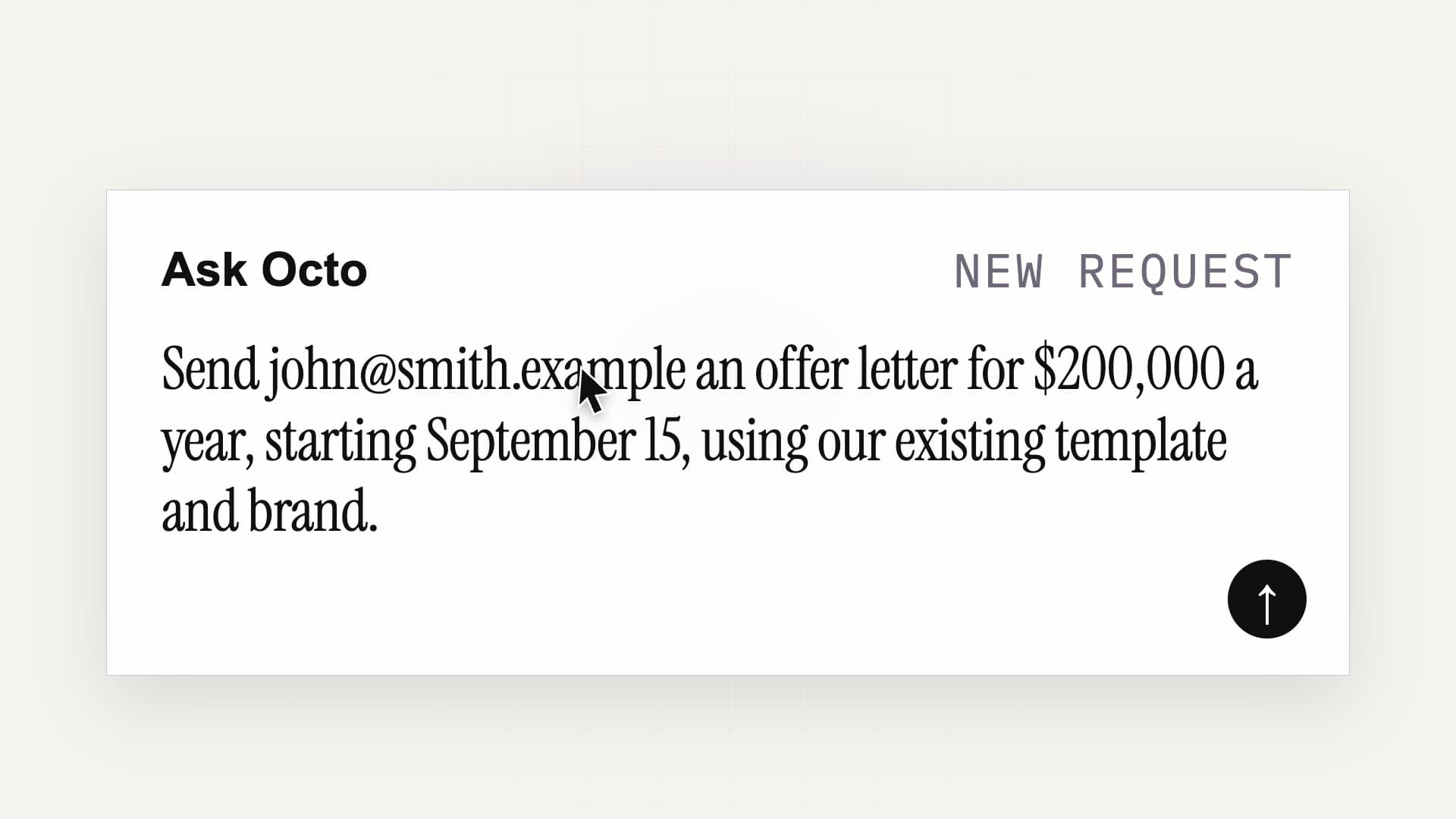
A person asks OctoDoc: Send john@smith.example an offer letter for $200,000 a year, starting September 15, using our existing template and brand. OctoDoc prepares a Northwind Labs offer of employment for John Smith as Senior Product Engineer, base salary $200,000 per year, starting September 15, and shows it out for signature to john@smith.example, waiting for John Smith to sign. The film closes: It's that simple. Use your favorite Agent or CLI via OctoDoc.org.
Intake
Upload a PDF or Word file, or choose a source-checked reusable PDF form.
Page geometry
Every page's size and rotation are measured at ingestion and stored. Nothing downstream re-guesses them.
Immutable versions
Each prepared file is a numbered, immutable version. A change is a new version, never an edit in place.
PDF pages stay byte-exact · a Word file converts once, then you review every page
Part 02 — Preparation
Marks land on measured geometry.
The measured box
A mark is a rectangle in PDF user space, measured against the page's real size. The model can select a measured box. It never invents one.
The confirmation
A person confirms every placement before it counts. An unconfirmed suggestion never reaches the send.
Covered text
A mark that covers body text is refused with the exact covered passage, and only the sender can overrule it.
Coordinates in PDF points · origin bottom-left · re-measured at send
Part 03 — Answers
Ask the document a question. Get the exact passage back.
The cited answer
Ask a factual question and get the exact passage that answers it, with its page.
The grounding rule
An answer with no matched passage and page is not shown as a citation.
The boundary
Ask Octo answers and prepares. It cannot rewrite, draft, or replace document text, and its output never enters the signed bytes.
Deterministic passage selection · the page number is stored with the answer
Part 04 — The send
Sending is a measured transaction.
The server's digest
The send digest is recomputed on the server from the stored pages and confirmed marks. A mismatch is a refusal, not a warning.
Single use
The digest is locked and consumed once, inside the send transaction.
No bearer authority
A bearer credential alone never authorizes a send or a signature. A binding act needs the transaction digest plus an attended confirmation, or an explicit mandate that covers that digest.
Geometry re-measured server-side · one digest, one send
Part 05 — Signing
Built for the person signing, too.
The free account
Signer accounts are free. The account proves control of the invited address and gives every returned document one place to live.
The verified address
Every signing authorization resolves through a verified address. An unverified alias is never authoritative.
The glyph preflight
A typed signature renders only from faces that cover every character. The seal refuses rather than substituting glyphs.
Nothing to install · the other side signs in the browser
Part 06 — The seal
One signature covers every byte you approved.
The flatten
The approved pages are flattened and hashed. What is sealed is exactly the file a person approved — a model never mutates the signed bytes.
The signature
One detached CAdES signature over the whole byte range, with an RFC 3161 signature timestamp. PAdES B-T.
The refusal
The seal refuses rather than degrades: a glyph that cannot render stops the seal, and confidence is a measurement, never a constant.
Validated independently by pyHanko · check it in a normal PDF reader, offline
Part 07 — The record
The record cannot quietly lose a step.
The chained ledger
Each event is linked to the one before it. Remove or change a step and the chain shows it.
The stored file
Evidence writes are content-addressed and never overwritten. The ledger and the proof manifest show a deletion or a replacement.
The public check
Anyone can check a sealed file with no account, and even offline.
SHA-256 over each event and its predecessor · /verify needs no account
Part 08 — Payment
Get paid right inside the document.
The Payment mark
Place a Payment mark on the page and the person it names pays you through Stripe after everyone signs.
After the seal
Checkout opens only after the seal lands, for the person the mark names. The signature never waits on the money.
The flat fee
On each payment, OctoDoc's fee is 0.5 percent, capped at $25, on every plan. The payer is charged the amount you set and nothing more.
Paid on your own Stripe account · the payer pays you, not OctoDoc
Parts list
Every part, numbered.
Prepare
Intake
Page geometry
Immutable versions
The measured box
The confirmation
Covered text
The cited answer
The grounding rule
The boundary
Transact
The server's digest
Single use
No bearer authority
The free account
The verified address
The glyph preflight
The Payment mark
After the seal
The flat fee
Prove
The flatten
The signature
The refusal
The chained ledger
The stored file
The public check
Workspace console
See the whole workspace on one screen.
Everyone in the workspace gets one console: what is waiting on a signer, what needs a nudge, and who sent what. Included with every paid plan.
- Files
- 18431 new in 30 days
- Out for signature
- 6Waiting on a signer now
- Sent · 30d
- 27Left draft
- Sealed · 30d
- 22Reached the terminal state
Document path · 30 days
- Created31Entered the document lifecyclein this window
- Sent27Left draft for a signer87% of created
- Sealed22Every signature in, one file to keep81% of sent
Needs a look
- 6Out for signatureFiles waiting on a signer right now
- 2Out for more than 7 daysWorth a nudge, or a withdrawal
- 2Emails not sentOpen out-for-signature files to resend requests from the last 30 days
- 1Invitations pendingInvited, not yet joined
Files sent
72
Weekly values
- Week of 25 May 20263
- Week of 1 Jun 20265
- Week of 8 Jun 20264
- Week of 15 Jun 20266
- Week of 22 Jun 20265
- Week of 29 Jun 20267
- Week of 6 Jul 20267
- Week of 13 Jul 20268
- Week of 20 Jul 20267
- Week of 27 Jul 20268
- Week of 3 Aug 20268
- Week of 10 Aug 20264
Signers signed
130
Weekly values
- Week of 25 May 20265
- Week of 1 Jun 20269
- Week of 8 Jun 20267
- Week of 15 Jun 202611
- Week of 22 Jun 20269
- Week of 29 Jun 202612
- Week of 6 Jul 202613
- Week of 13 Jul 202615
- Week of 20 Jul 202612
- Week of 27 Jul 202615
- Week of 3 Aug 202614
- Week of 10 Aug 20268
Compared
Where OctoDoc differs from the typical e-signature suite.
The left column describes the category's common practice, and every line in the right column is a registered, supportable claim or a published decision.
The person signing
A place to collect a mark. Questions leave the product and go to email.
A free account, a cited answer on the page, and the sealed PDF to return to.
AI answers
A fluent paraphrase with no obligation to show where it came from.
An answer quotes the page it came from, or it is not shown as a citation.
Checking the record
A signing record that lives in the vendor's account and is shown on request.
One signature covers every byte you approved. Anyone can check it in a normal PDF reader, offline.
Documents and model training
Training permissions have arrived by terms update, mid-relationship.
Every model request requires zero-data-retention and prompt-training opt-out.
Open to every team
Nothing here is capped by company size. Larger firms use the same sending, the same seal and the same free signer accounts, and add senders as the team grows. The security posture publishes every control and its evidence so a reviewer can check without a sales call.
Pricing
Priced per workspace, never per person.
Free sends four files each calendar month. Team is $99 a workspace each month, or $950 a year, and sends forty. Membership is free on both plans, however many people your workspace holds, and signer accounts are free.
Free
Four sends each calendar month, unlimited members and reusable PDF forms. Signers never pay.
Team
Forty sends each calendar month, unlimited members, 7-year retention.
Prepare. Sign. Keep.
Send your first document free.
You choose the source pages. You prepare the fields. Everyone gets the same signed PDF back.